Skip to content
LIGHTDREAM

Making life easy

  • Products
    • ALL LIGHTDREAM PRODUCTS
    • ACCESSORIES
    • CABINET LIGHTING PACKAGES
    • COMBINATION SENSOR SWITCHES
    • DOOR ACTIVATED LIGHTING
    • HUMAN MOTION ACTIVATED LIGHTING
    • LED STRIP – COB & SMD
    • POWER SUPPLIES
    • TOUCH ACTIVATED LIGHTING
    • WIRELESS
  • Resources
    • Connection Diagrams
    • Datasheets
    • FAQ
    • Installation Instructions
  • Info
    • About Us
    • Contact Us
    • Payments, Taxes, Shipping and Returns
    • Privacy Policy
    • Projects
    • Suggestions & Feedback
    • Trade Account
    • Terms & Conditions
  • Login
  • Cart / $0.00
    • No products in the cart.

      Return to shop

  • Cart

    No products in the cart.

    Return to shop

LD1430 Reed Switch test tool switched on
ALL LIGHTDREAM PRODUCTS

LD1430
Reed Switch
Check Tool

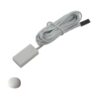
  • LD1402 white cuboid sensor & white dome magnet
  • LD2022 SENSOR SWITCH master white side view

$12.95 (excl. GST)

SKU: LD1430 Categories: ACCESSORIES, DOOR ACTIVATED LIGHTING, ALL LIGHTDREAM PRODUCTS Tag: reed switch check tool
  • LD1402 white cuboid sensor & white dome magnet
  • LD2022 SENSOR SWITCH master white side view
  • ACCESSORIES (27)
  • CABINET LIGHTING PACKAGES (6)
  • COMBINATION SENSOR SWITCHES (21)
  • DOOR ACTIVATED LIGHTING (53)
  • HUMAN MOTION ACTIVATED LIGHTING (33)
  • LED STRIP - COB & SMD (19)
  • POWER SUPPLIES (4)
  • TOUCH ACTIVATED LIGHTING (2)
  • WIRELESS (7)
  • ALL LIGHTDREAM PRODUCTS (77)
  • Description

Reed Switch Check Tool

The LD1430 is a convenient, hand held tool, for checking the operating distance between a reed switch and its magnet, or for verifying correct positioning and operation once installed. Ideal for installers and technicians ensuring reliable switch activation in joinery or lighting applications.

Features

  • Simple hand held testing tool – without the need of a controller, LED strip and power supply.
  • Indicates door open and door closed positions via LED
  • Simple to use – plug reed switch in, switch on, test instantly
  • Suitable for all Lightdream reed switches and magnet kits

Included

  • 1 x reed switch test tool

Required

  • 1 x 9V battery

Operation

  1. Insert a small flat blade screwdriver into the slot at the bottom to open.
  2. Install a 9 V battery and click the cover back on.
  3. Plug the reed switch into the tester and switch it on.
  4. Bring the magnet close to the reed switch – the LED indicator turns off, indicating the door closed position.
  5. Move the magnet away from the reed switch – the LED indicator turns on, indicating the door open position.

Specifications

Dimensions (case): 78 x 55 x 24 mm
Power: 9 V battery (not included)
Indicator: white LED
Warranty: 5 years

LIGHTDREAM™

ONLINE SALES: Available 24/7

SHOWROOM & SALES
Shop 1, 79-81 Liverpool Rd
Burwood NSW 2134
AUSTRALIA

H: 8 am - 5 pm, Monday - Thursday
8 am - 2 pm Friday
Closed: Saturday, Sunday, Public Holidays
P: 02 9798 7797
E: support@lightdream.com.au
ABN: 98 106 906 414

    Products

  • Accessories
  • Cabinet Lighting Packages
  • Combination Sensor Switches
  • Door Activated Lighting
  • Human Motion Activated Lighting
  • LED Strip - COB & SMD
  • Power Supplies
  • Touch Activated Lighting
  • Wireless
  • All Lightdream Products

    Resources

  • Connection Diagrams
  • Installation Instructions
  • Datasheets
  • FAQ

    Info

  • About Us
  • Contact
  • Payments, Tax, Shipping & Returns
  • Trade Account
  • Terms & Conditions
  • Privacy Policy
  • Suggestions & Feedback

©Copyright 2026

©Copyright 2026

  • Products
    • ALL LIGHTDREAM PRODUCTS
    • ACCESSORIES
    • CABINET LIGHTING PACKAGES
    • COMBINATION SENSOR SWITCHES
    • DOOR ACTIVATED LIGHTING
    • HUMAN MOTION ACTIVATED LIGHTING
    • LED STRIP – COB & SMD
    • POWER SUPPLIES
    • TOUCH ACTIVATED LIGHTING
    • WIRELESS
  • Resources
    • Connection Diagrams
    • Datasheets
    • FAQ
    • Installation Instructions
  • Info
    • About Us
    • Contact Us
    • Payments, Taxes, Shipping and Returns
    • Privacy Policy
    • Projects
    • Suggestions & Feedback
    • Trade Account
    • Terms & Conditions
  • Login

Login

Lost your password?